

Integrations
Direct link
في هذه الصفحة
Direct Link turns a Web-Call Widget into a public, shareable page that anyone can open to talk to your agent, no website or embed needed. It's a feature of the widget, not a separate plugin: enabling it adds a hosted public version of an existing widget's call experience.
Enabling direct link
Open the widget you want to share and toggle on Enable direct link in the Basics step, alongside the Allowed origins setting.
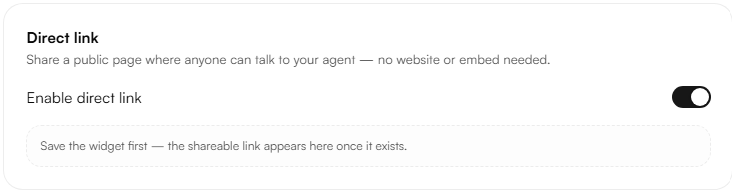
Note: The link is not generated immediately when the toggle is switched on the widget must be saved first. Until then, a placeholder message appears: "Save the widget first the shareable link appears here once it exists."
Where the link Appears
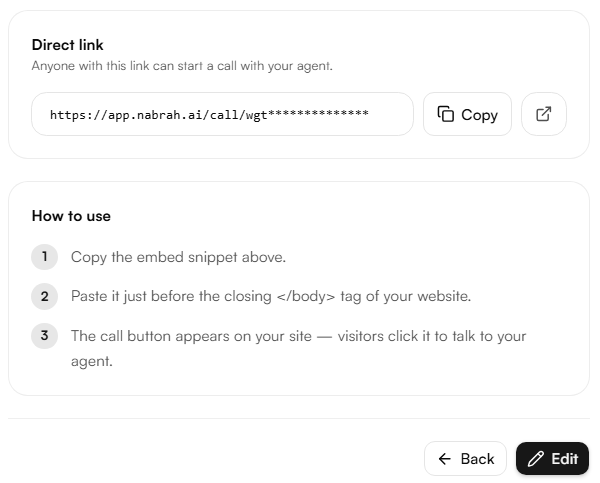
Once the widget is created, the direct link appears on the widget's own page, under Direct link alongside the embed snippet and usage steps.
What visitors see
The direct link opens the same call experience as the embedded widget same layout, same branding, same behavior. There is no separate design step for the direct link page: whatever the Call Panel Designer is set to is what visitors see when they open the link.
Managing the link
Action | Supported |
|---|---|
Copy the link | Yes - Copy button next to the URL |
Open the link | Yes - opens the hosted call page in a new tab |
Customize the URL (custom slug) | No - the link uses a fixed, generated id |
Regenerate the link | No - the URL doesn't change once created |
Disable without deleting the widget | Yes - turning off Enable direct link removes the public page while the widget and its embed keep running |
Note: Disabling the direct link only removes the shareable page. The embedded call button on your website is not affected the two run independently once both exist.