

Voice tools
Speech to text
في هذه الصفحة
انتقل إلى قسم
Nabrah's Speech-to-Text transcribes spoken audio into accurate text. It officially supports both Arabic (AR) and English (EN) languages, with advanced optimization specifically tailored to recognize diverse Saudi dialects in all their variations.
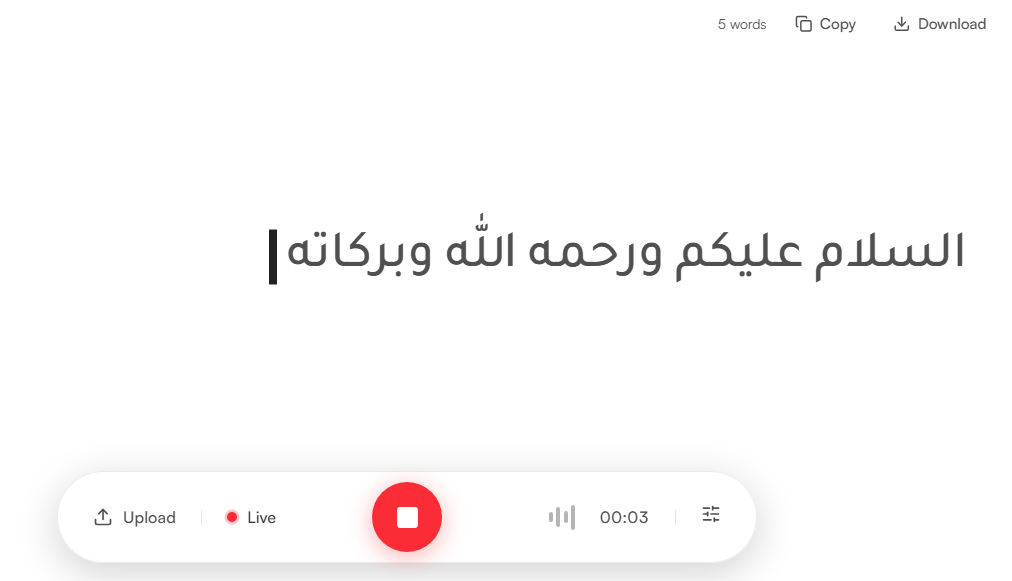
Two input modes are available: upload an audio file or transcribe live microphone input in real time.
Guide
1. Input
Upload: Submit a WAV or MP3 file for transcription (supports files up to 60 seconds).
Live: Activate the microphone to transcribe speech in real time. Partial results will appear dynamically as the audio is being processed.
2. View results
The transcript appears in the main panel as the audio is processed.
Use Copy to copy the full transcript to the clipboard, or Download to save it directly to your device.