
Engagement
Call logs
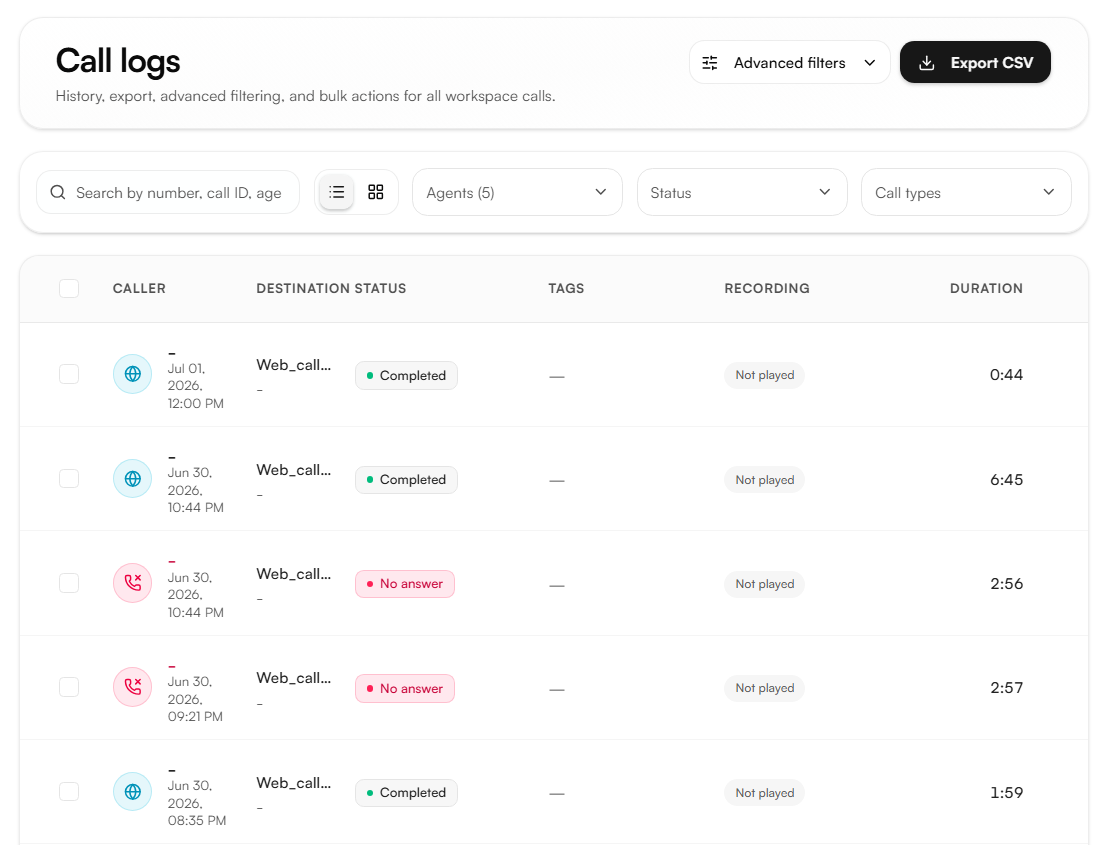
Call Logs is a historical record of every call handled by your workspace agents. Each record includes the transcript, recording, AI analysis, and all session metadata giving you full visibility into every interaction.
Call list
Each entry in the list shows the caller, destination, date and time, status, tags, recording state, and duration. Two view modes are available: List and Grid.
Filter by Agent, Status, and Call type:
Filter | Options |
|---|---|
Status | Queued, In progress, Completed, No answer, Busy, Failed, Canceled |
Call type | Inbound, Outbound, Web |
Search by number, call ID, agent name, or tag.
Advanced filters
Click Advanced filters to refine results further by: Call ID, Call from, Call to, Tags, Started from, Created at, and any analysis fields captured by linked analysis groups.
Per-call record
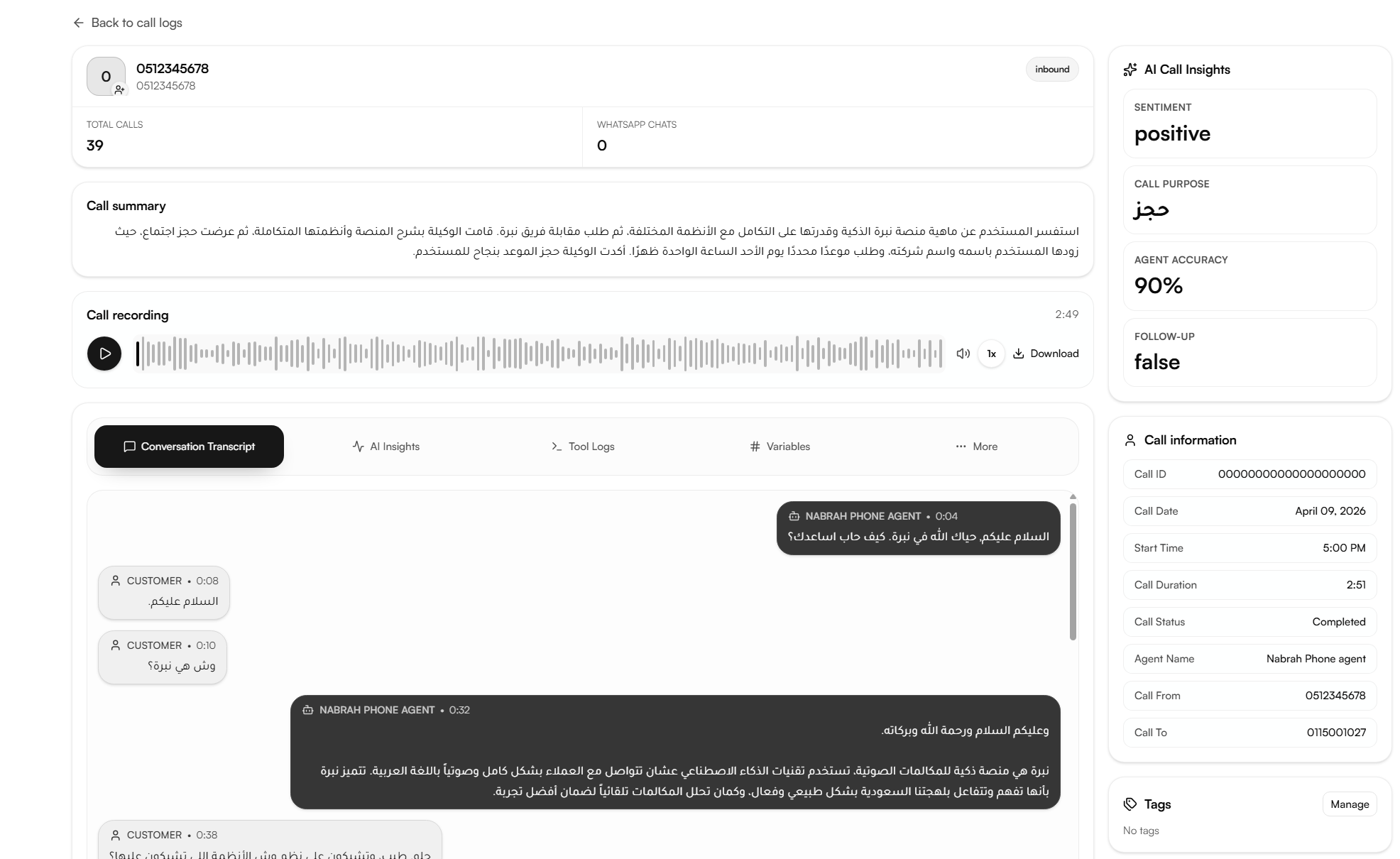
Selecting a call opens its full record.
Contact overview
Shows the caller's number or name, total call count, and total WhatsApp chats associated with that contact.
Call summary
An AI-generated summary of the conversation what the caller wanted, how the agent responded, and the outcome.
Call recording
A playable audio recording of the full call with duration, volume control, playback speed, and a download option.

AI call insights
Four metrics displayed in the right panel:
Metric | What It Shows |
|---|---|
Sentiment | The caller's detected emotional state across the call |
Call purpose | The primary reason for the call as identified by the AI |
Agent accuracy | A percentage score of how closely the agent followed its defined prompt and workflow |
Follow-up | Whether the interaction requires further action (true or false) |
Call information
Session metadata: Call ID, Call Date, Start Time, Call Duration, Call Status, Agent Name, Call From, and Call To.
Tags
Tags assigned by the agent to this call. You can also add tags manually enter one or more tags as comma-separated values and choose:
Append tags : adds the new tags alongside existing ones
Replace tags : overwrites all existing tags with the new values
Tags are configured under Agents → Tags.
Per-call tabs
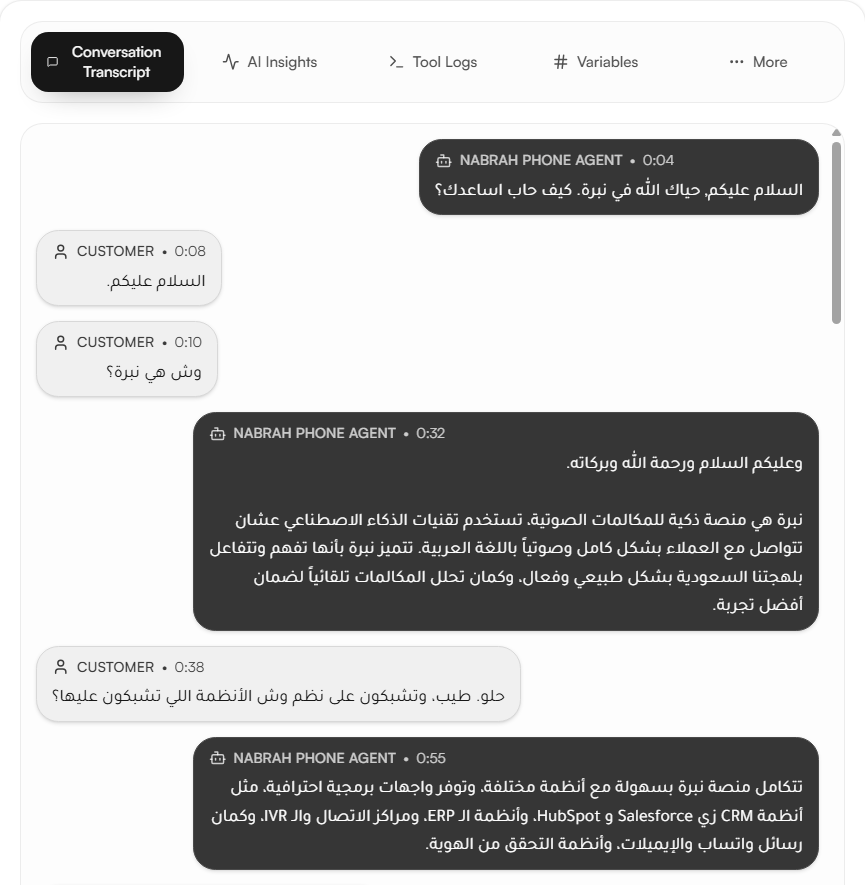
Conversation transcript
The full text transcript of the call, showing each message from the agent and the customer with timestamps.
AI insights
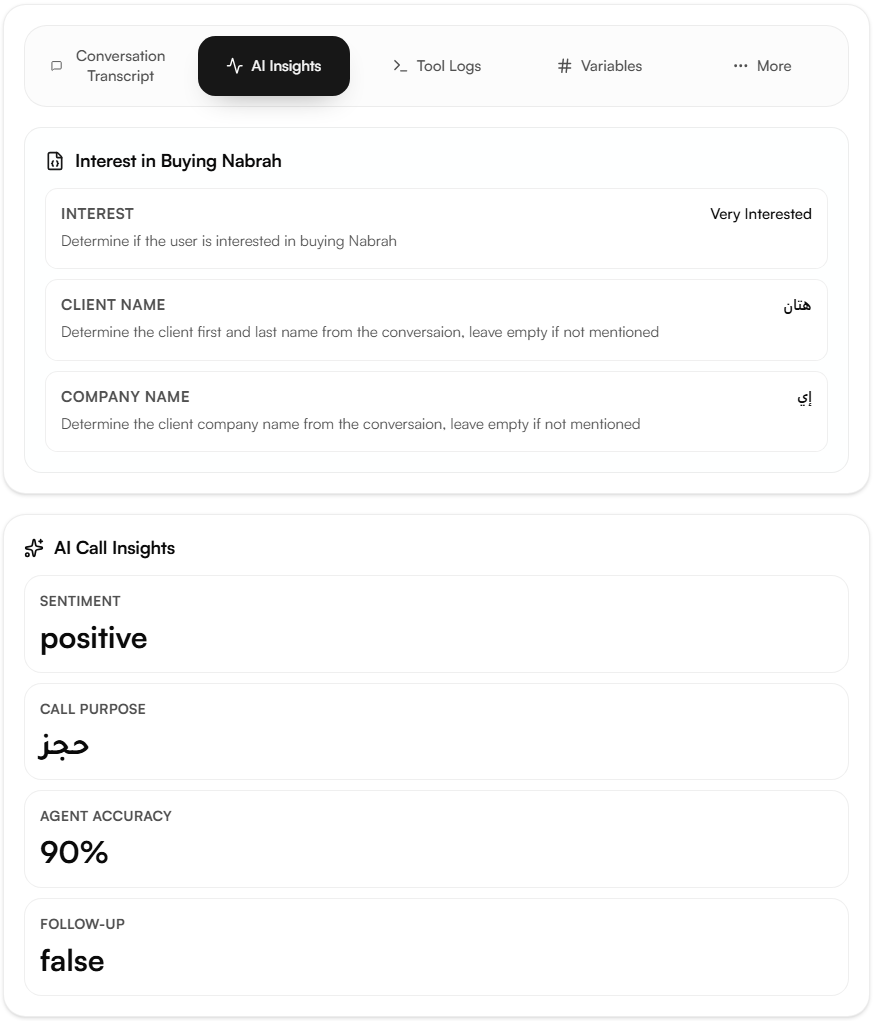
The structured data points extracted by the linked analysis group for this call. Two views are available:
System Nabrah's default analysis fields: call summary, call sentiment, agent response quality, improvement suggestions, follow-up required, and call objective.
User custom data points defined in the linked analysis group.
Tool logs
A record of every tool the agent invoked during the call, showing the tool name, execution time, and success or failure status.
Variables
The platform variables available during the call such as agent name and caller number with their values.
Export
Click Export CSV to download all call records. The export includes Nabrah's built-in call metrics and any custom data points captured by linked analysis groups.