

Library
Voices
On this page
Jump to a section
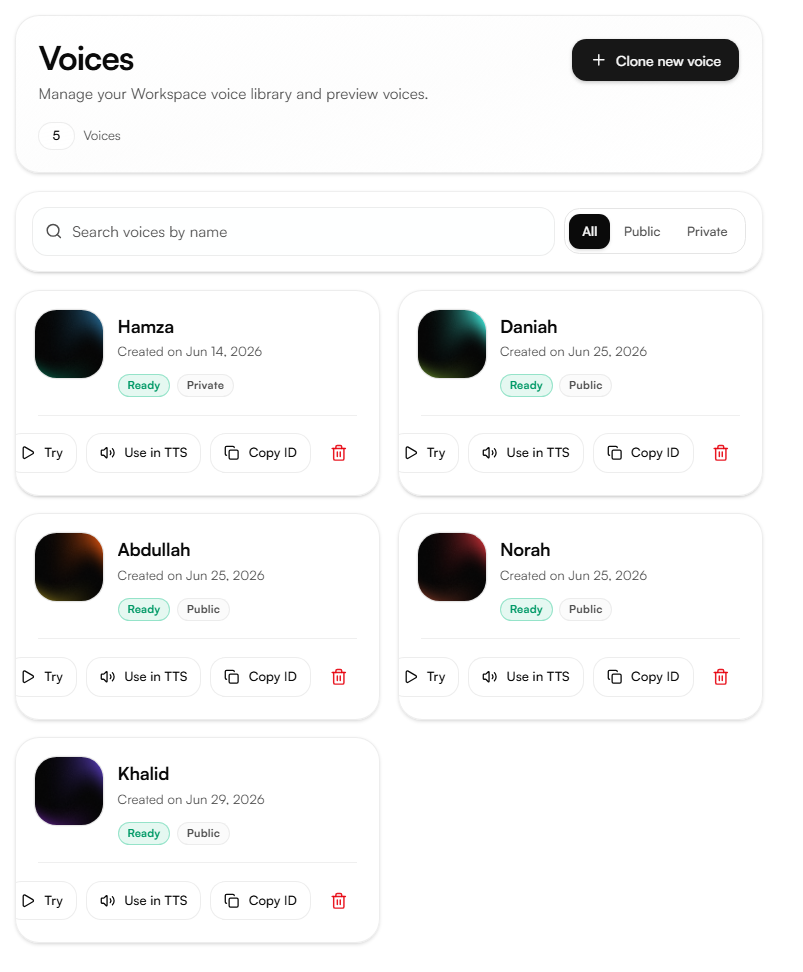
The Voices page is the workspace voice library. It contains all public voices provided by Nabrah and any private voices created through Voice Cloning.
Voice types
Public voices provided by Nabrah, available to all workspaces. The public voice library is updated periodically with new voices.
Private voices cloned within your workspace. Only visible and accessible to members of that workspace.
Use the tabs at the top right to filter the library by All, Public, or Private. Search by voice name to find a specific voice quickly.
Actions
Each voice card supports four actions:
Action | What it does |
|---|---|
Try | Preview the voice with a sample playback before using it |
Use in TTS | Open Text to Speech with this voice pre-selected |
Copy ID | Copy the voice ID to use in API requests |
Delete | Permanently remove the voice from the workspace (public voices cannot be deleted) |
Cloning a new voice
Click Clone new voice to create a new private voice from a short audio recording. See Voice Cloning for the full process.