
Voice tools
Conversational STT
Conversational STT is Arabic speech to text built for conversations. Besides transcribing what's said, it hears when a speaker has finished their turn, and when a short mm-hm would fit without taking the turn. Use it to test how a voice agent would follow a conversation, or to split a call recording into turns.
Open Studio → Conversational STT. Switch between Live capture and Upload a file under the stage.
Live capture
Tap the microphone button. Your browser asks for microphone access the first time.
Talk normally. A turn ends when you finish your thought, and each turn appears as Turn 1, Turn 2 and so on, with its start and end times. The turn in progress shows Speaking.
Tap the button again to end the session.
While you talk, the Turn-taking panel shows what the model expects next, seen from the agent's side.
Item | What it shows |
|---|---|
End of turn | How likely it is that the speaker has finished, against the threshold that ends a turn |
Mm-hm moment | How likely it is that a short acknowledgement fits now, against its threshold |
Chart | Both values over the last 10 seconds, with a mark where each turn ended |
State | The current state and its share: LISTEN, HOLD, SPEAK or BACKCHANNEL |
Turns, Mm-hm moments, Audio | Totals for this session |
State | Meaning |
|---|---|
LISTEN | The speaker has the turn, so the agent keeps listening. This is normal while you talk |
HOLD | A pause, but the speaker isn't done yet |
SPEAK | The speaker is done, so the agent can reply |
BACKCHANNEL | A good moment for a short mm-hm without taking the turn |
Upload a file
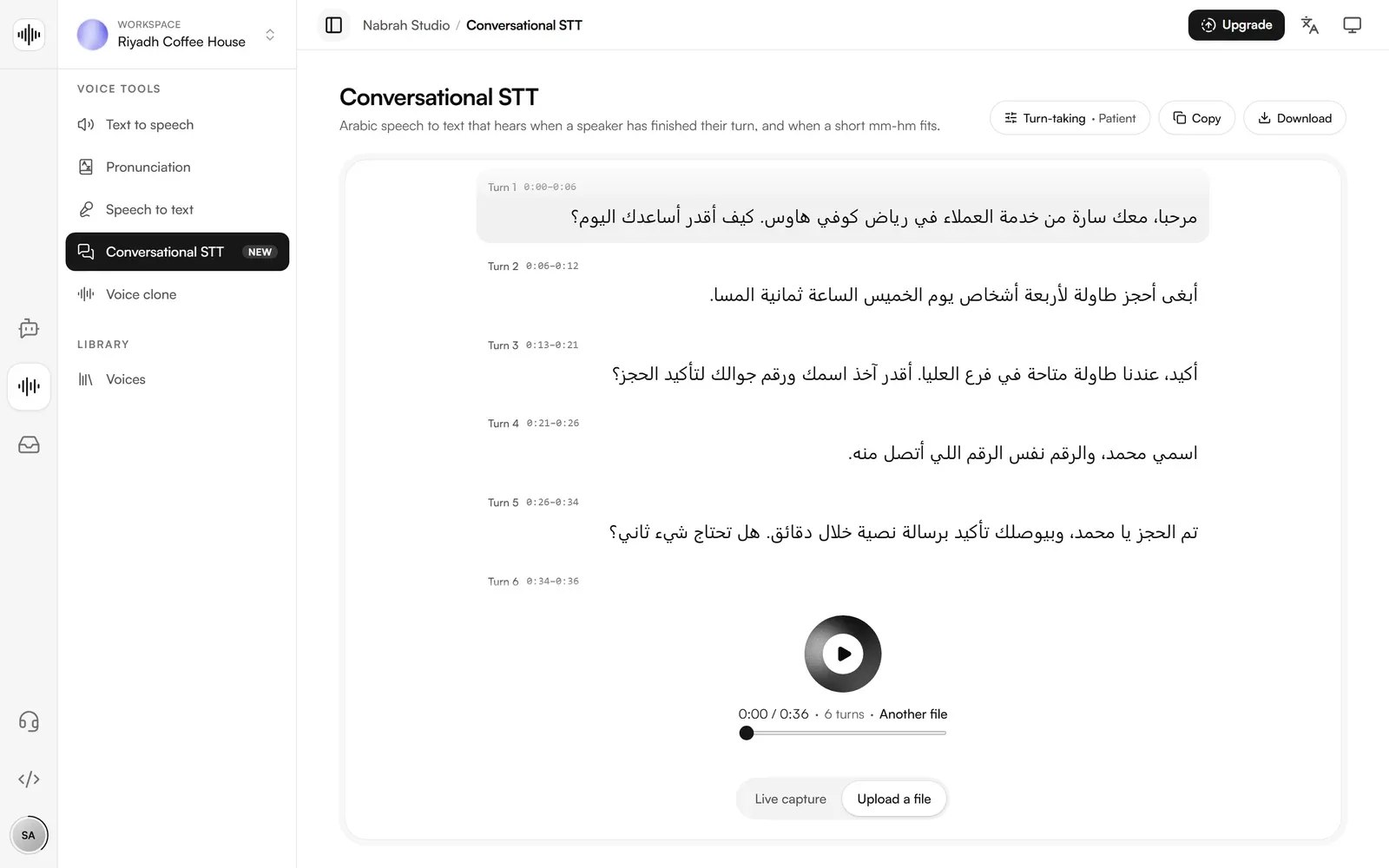
Tap the stage to choose a recording, or drop it there. Nabrah uploads it and splits it into turns. When it's done, the transcript shows each turn with its times, and you can play the recording from the player under it.
Requirement | Value |
|---|---|
Formats | Audio files such as WAV, MP3, M4A, OGG, OPUS, WEBM, FLAC and AAC, and video files with audio |
Length | Up to 2 hours |
Size | Up to 700 MB |
Turn-taking settings
Click Turn-taking at the top of the page to change how quickly turns end. The settings are sent with every live session and file on this page, and saved in your browser.
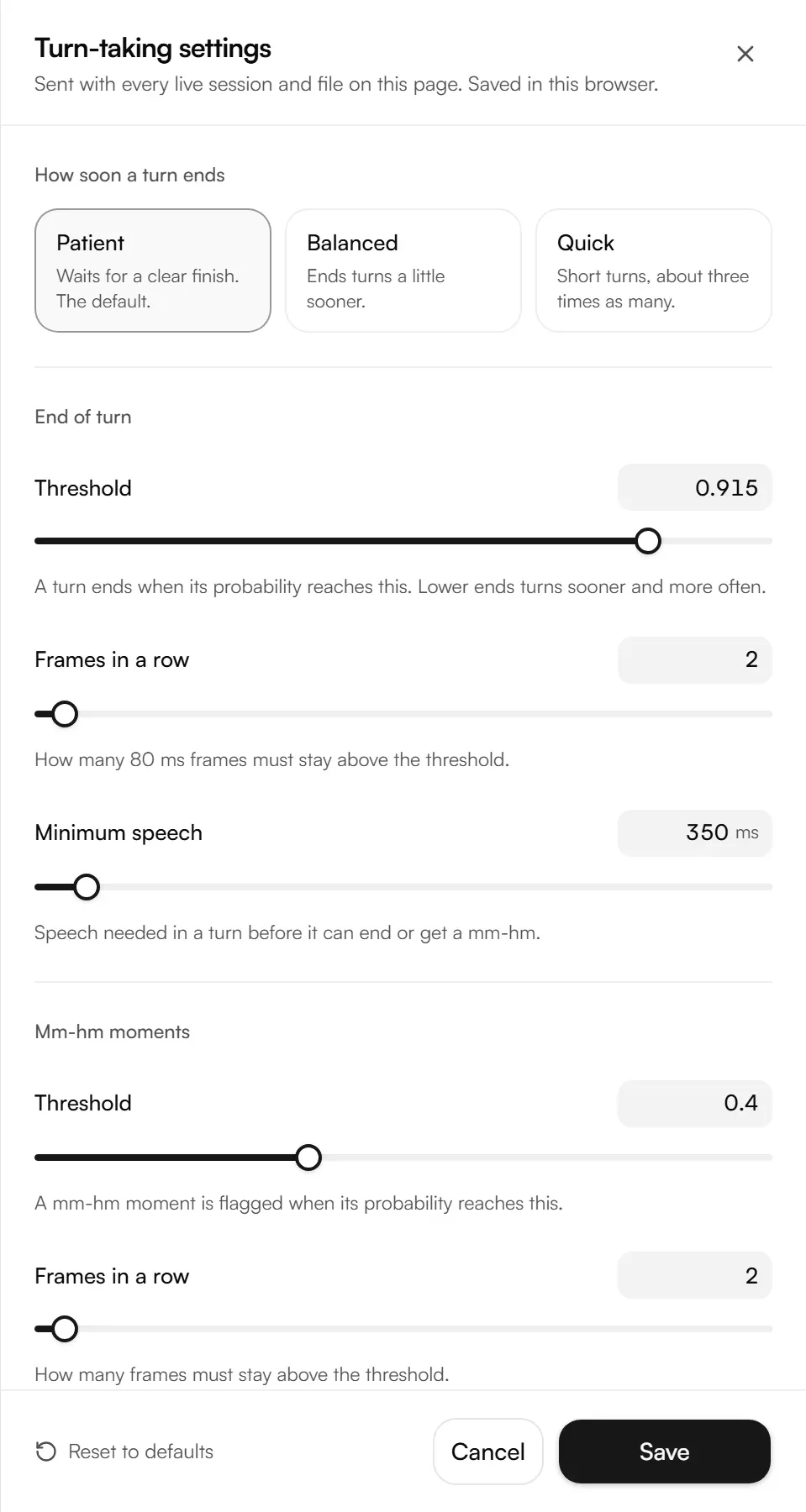
Start with a preset under How soon a turn ends:
Preset | Behavior |
|---|---|
Patient | Waits for a clear finish. The default |
Balanced | Ends turns a little sooner |
Quick | Short turns, about three times as many |
To fine-tune, change the values below the presets:
Group | Setting | Default | Range |
|---|---|---|---|
End of turn | Threshold | 0.915 | 0.5 to 0.999. Lower ends turns sooner and more often |
End of turn | Frames in a row | 2 | 1 to 25 frames of 80 ms that must stay above the threshold |
End of turn | Minimum speech | 350 ms | 0 to 5,000 ms of speech before a turn can end |
Mm-hm moments | Threshold | 0.4 | 0.05 to 0.99 |
Mm-hm moments | Frames in a row | 2 | 1 to 25 |
Mm-hm moments | Gap between moments | 1,200 ms | 0 to 6,000 ms |
Decoding | Restart after silence | 10 s | 0 to 60 s. 0 turns it off |
Click Save, or Reset to defaults to start over. Changes made during a session apply from the next session or file.
Copy and download
Use Copy to copy the transcript, or Download to save it:
Download | Contents |
|---|---|
Transcript (.txt) | The text of every turn |
Subtitles by turn (.srt) | One subtitle per turn, with its times |
Session with turn-taking frames (.json) | Live sessions only: every turn plus the turn-taking values over time |
Copy and Download are available once a session or file has finished.
Troubleshooting
Symptom | Cause | Fix |
|---|---|---|
Turns end too early, in the middle of a sentence | The end-of-turn threshold is too low for how you speak | Switch to Patient, or raise Threshold under End of turn |
Long monologues stay in one turn | The threshold is too high | Try Balanced or Quick |
This file type isn't supported. | The file isn't audio | Use an audio file such as WAV, MP3, M4A or OGG |
No speech was found in this file. | The recording is silent or only music | Check the recording and upload it again |
Microphone access is blocked. | The browser blocked the microphone | Allow it in your browser settings |
Not enough credits. Top up to continue. | The workspace is out of credits | Top up or upgrade your plan |
Priority words don't apply here. They work on the Speech to text page only.